
Searching Cases by Name
A name search goes fastest once you know the court level. The state's re:SearchTX portal lets you hunt through Cases, Filings, Text in Documents, and Hearings for eligible integrated records. Keyword and advanced searches are both allowed under the state instructions. Wilbarger County coverage runs thin, though. Treat a name-only hit as a lead. Weigh the court, category, filing date, and case style before you trust it.
Search for your own matter or a specific public case, not broadly. Try spelling variants when a name strikes out. Then follow these steps:
- Sign in or register when the portal requires an account.
- Choose Cases and enter the surname or full case style.
- Apply Location and Case Category filters for the likely court.
- Open a result and compare its public details with known facts.
- Ask the proper clerk to confirm uncertain or missing information.
| Field | Type | Required | Use |
|---|---|---|---|
| Keyword | Text | Yes | Cause number, surname, or style |
| Location | Filter | No | County or court where available |
| Case Category | Filter | No | Narrows eligible case groups |
| Search area | Choice | Yes | Cases, Filings, Text, or Hearings |
Four Wilbarger Case Search Modes
Each re:SearchTX mode answers a different question. Cases pulls up the case shell and its basic detail. Filings tracks docket events and submitted documents. Text in Documents digs through indexed text when a public document exists. Hearings shows setting data. Pick Cases for the cause and court. Pick Filings for the event trail. Choose Hearings when you need to know what is set.
Remember the ceiling. Text search cannot touch material that was never integrated, indexed, or made public. State materials also say re:SearchTX excludes criminal case records. That limit matters in Wilbarger County. No broad state search replaces the District Clerk. The same goes for the County Clerk, the justice courts, and the Vernon Municipal Court.
Searching by Case Number
A cause number is the strongest key. Use it for a Wilbarger County docket search. Locals say "cause number" and "case number." Ticket forms add "citation number" and "docket #" to the mix. No universal Wilbarger County numbering pattern is published. So type the identifier exactly as printed, like [CAUSE NUMBER AS SHOWN]. Skip any year or separator the notice does not show.
When the search fails, identify the court behind the number. The District Clerk holds district cases, and the County Clerk keeps constitutional County Court files. JP1, JP2, and Vernon Municipal Court each run their own systems. A perfectly valid number typed into the wrong system can still return nothing.
Limited Wilbarger County Search
The eFileTexas active-courts table lists Wilbarger civil and criminal e-filing as mandatory, yet the search status reads "Limited." Per the legend, limited search means incomplete integration with the local case-management system. A filer may locate a case only after a filing is accepted. That does not build a complete public archive. The official page shows the Wilbarger County row. It helps separate e-filing from public search depth.
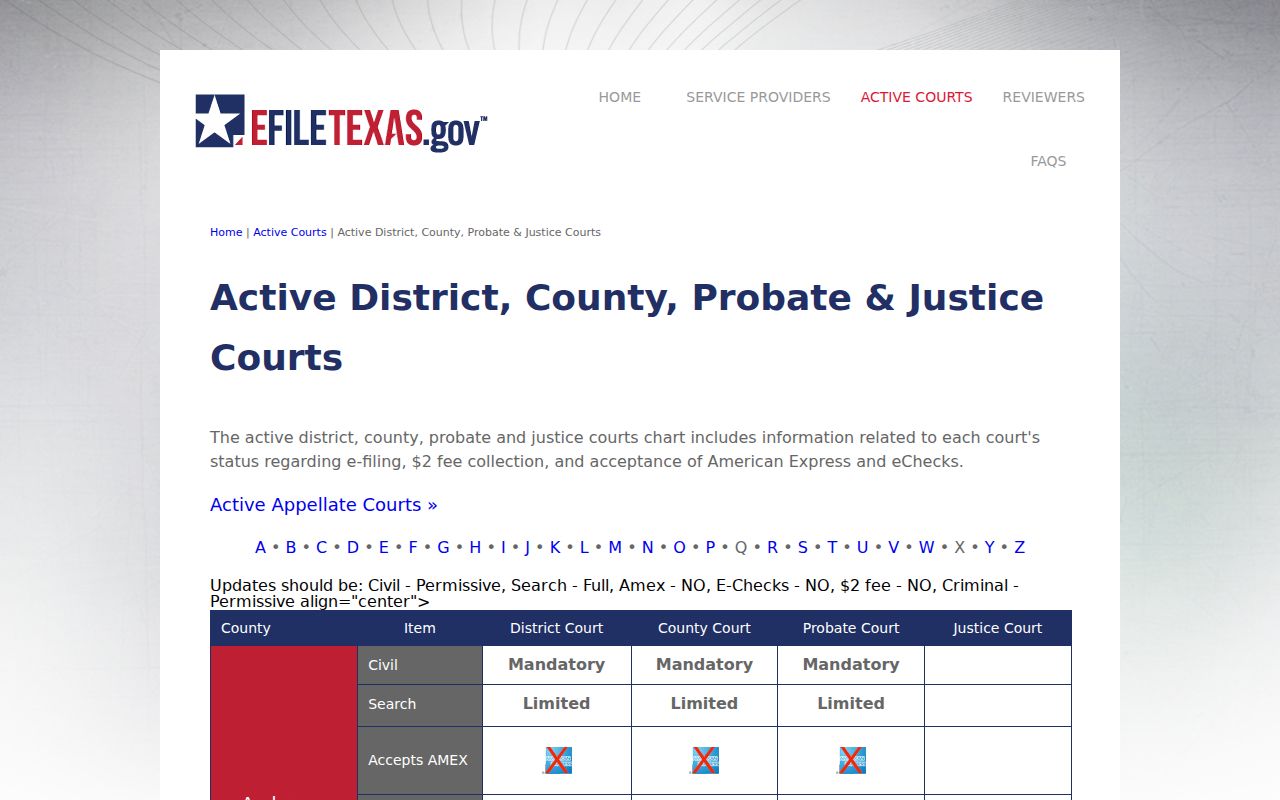
The label explains why a valid local file may not appear online. eFileTexas terms also tell users to verify information against the official court record.
What a Case Search Returns
A public hit may name the case yet hold less than the clerk file. Re:SearchTX instructions describe case details, filing events, hearing events, exports, and saved searches, but depth hinges on integration and access rules. Write down your access date, since portal coverage shifts over time.
| Cause number | The court identifier copied exactly. |
|---|---|
| Case style | The public caption or permitted party names. |
| Court and category | The level and type used for follow-up. |
| Filed date | The date the case entered that court. |
| Events | Integrated public filings, settings, rulings, or status. |
| Documents | Links only when an eligible public document is available. |
A Wilbarger County docket search row is never a certified copy, so ask the clerk for an official court record when you need real proof.
Wilbarger County Zero Results
Zero results do not mean no case exists. The spelling may differ, or the file may sit in another court entirely. Older data may live offline, criminal records are excluded from the state system described, and sealed or juvenile matters can be withheld. Change channels before concluding anything.
Best fallback: identify the court, then ask its clerk for a public docket or index search using the cause number, style, and approximate date.
Call the District Clerk at (940) 553-3411 for district matters. For County Court files, dial (940) 552-5486. JP1 and JP2 keep their own justice records, and Vernon Municipal Court handles city citations with no public docket lookup offered.
Statewide vs County Case Search
Wilbarger County posts no county-hosted civil or felony index. The state search helps with eligible integrated material, but direct local contact stays authoritative. GovRec is a separate JP2 ticket tool, not a general criminal or civil database.
| Channel | Coverage | Best use |
|---|---|---|
| re:SearchTX | Eligible integrated cases, filings, text, and hearings | Starting an eligible civil search |
| District or County Clerk | Official local file and index | Missing, older, certified, or specific records |
| GovRec | County-linked JP2 ticket workflow | An eligible JP2 citation |
The Wilbarger County court records process applies when a search becomes a copy request.
Route a Failed Wilbarger Search
Routing saves time. District felony, family, juvenile, delinquent-tax, and higher-value civil files all go to the District Clerk. Constitutional County Court civil, criminal, probate, and juvenile files go to the County Clerk. Fine-only cases, small claims, debt claims, and evictions belong to the right justice precinct. Vernon citations stay with Municipal Court.
The Office of Court Administration keeps no individual case records. A strong clerk request names the court, the cause number if known, the case style, a rough date, and the item wanted. The item may be a docket sheet, index, filing, judgment, or certified copy. Your first guess may land in the wrong office. Ask there which court keeps the file.
Access and Restricted Cases
Not every Wilbarger County court record is open. Juvenile files, sealed cases, expunged cases, protective orders, and sensitive family or restricted exhibit material may be hidden or limited to authorized people. Two rules matter here. Texas Family Code Chapter 58 sets the main limits on juvenile records, and Rule of Civil Procedure 21c governs sensitive data in filings.
Never try to get around a restriction. Instead, ask the Wilbarger County clerk which rule, law, or order controls access to the case you want. When a public redacted version exists, request it. Redaction strips protected details but leaves the rest of the docket content public. If a name or document is missing, an access rule may be the reason. The case itself may still be there.
Save Wilbarger Search Evidence
Keep good notes when you search the Wilbarger County docket. For public-interest or family-history work, a dated log is worth the effort. Record the portal and the search mode. Write your exact term, any filters, the access date, and the result count. Note any filters as well. Save your export names too. Do not republish birth dates or other identifiers you used only to reach a record.
The official Texas search entry point limits access. Plan on confirming any Wilbarger result set yourself. That official portal covers state courts generally, not one local case.
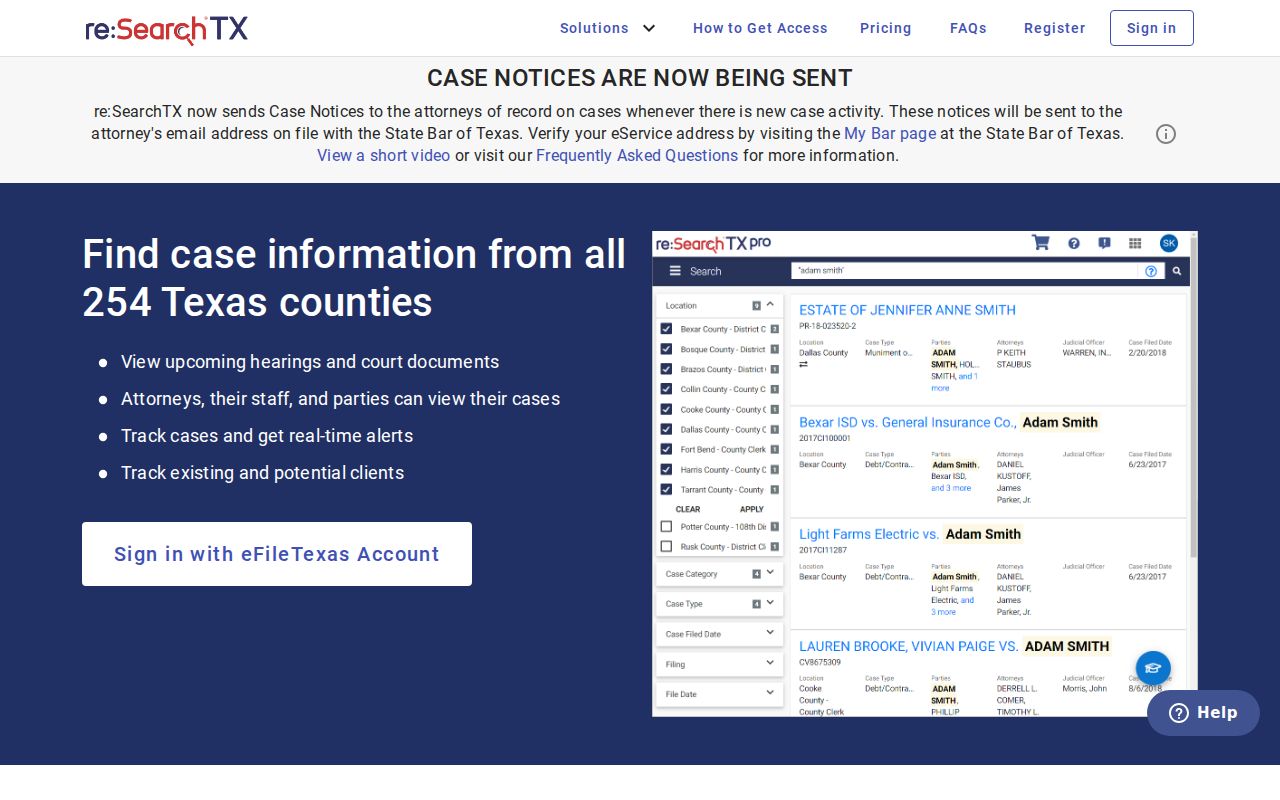
Why log it: A dated log shows exactly what you checked and when. It keeps one search session from becoming a claim about the whole Wilbarger County docket.